Toonly: AI Story & Comic Maker
Wiin Ltd.Comics
4.143.00 Reviews
- Version
- 0.8.8
- Installs
- 50.00K
- Age Rating
- Teen
Screenshots
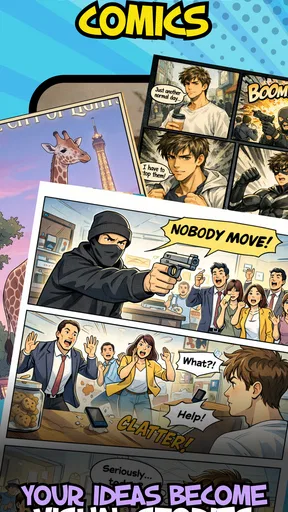
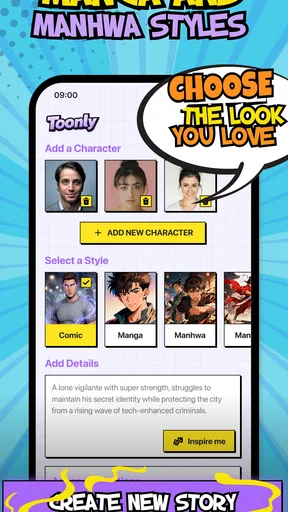
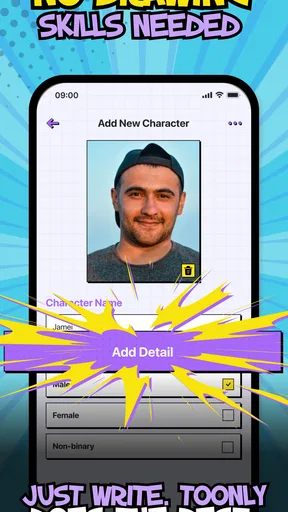
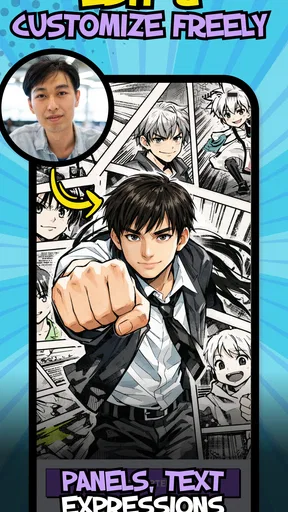
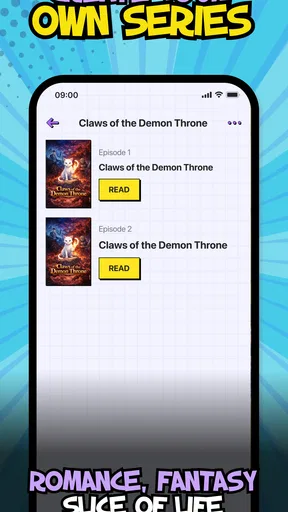
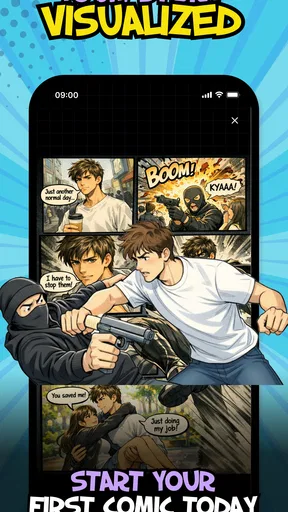
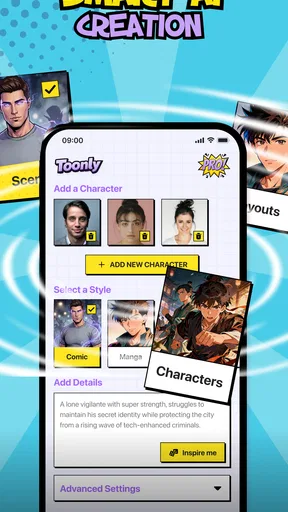
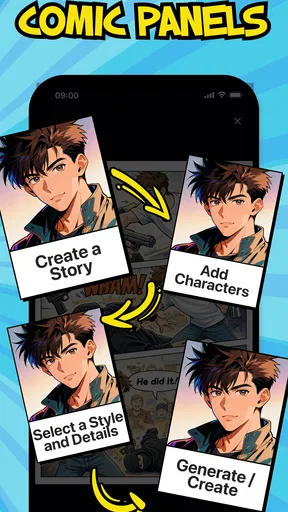
Our Review of Toonly: AI Story & Comic Maker
 Analysis by Appyee
I opened Toonly expecting a simple comic-making app, but its more interesting idea is the way it turns a rough story prompt into something interactive. Instead of treating a comic as a fixed strip, it lets me work with templates, AI-assisted creation, and choices that can change how a reader moves through the story. That makes it feel closer to a lightweight story workshop than a traditional digital drawing tool.
Toonly is a free comics app from Minu Pte. Ltd., aimed at people who want to build short visual stories without beginning with a blank canvas. It has an Everyone age rating, works on Android 7.0 and later, and the current version is 0.8.2. The app has reached over 50 thousand installs and holds a 4.1 average from around 2.8 thousand ratings, which suggests a reasonably active early audience rather than a mature, long-established platform.
My overall impression is positive, especially if I want to experiment with branching ideas quickly. I would not choose it as a replacement for a full illustration program or a serious comic publishing workflow. Its strength is getting from “I have an idea” to “someone can read and choose what happens next” with less setup than I would face in a conventional art app.
From a loose idea to a readable comic
I approach Toonly as a place to turn a loose premise into a comic someone can actually follow, rather than as a race to generate pages. Starting with one clear situation and a decision gives me a useful way to judge the workflow: I can see whether the template and AI help me move forward, then spend my attention on making the choice understandable. That makes the first draft a practical test of the story, not the finish line.
The right starting point is a story problem, not a drawing problem
The easiest way to begin is with a small situation that can support a decision. For example, I might start with a character finding a locked box, then decide whether the character asks for help or tries to open it alone. That kind of premise gives the AI and the template-based workflow something useful to shape. A broad request such as “make an exciting fantasy comic” is less helpful because it does not define a clear beginning, choice, or consequence.
This is one of the first practical lessons I took from using the app: the quality of the result depends heavily on how narrowly I frame the first idea. Toonly is more useful when I treat it as a visual drafting partner rather than a machine that will invent a complete, polished graphic novel for me.
The ready-made templates reduce the intimidation of an empty project. I can focus first on the characters, situation, and decision instead of worrying about page structure immediately. That is particularly helpful for a beginner who knows what they want to say but does not yet know how to arrange panels or turn a plot into interactive scenes.
Building the first version
Once I have the premise, I move through the template and story-creation process, using AI to help develop the comic and its choices. I found it more useful to think in short beats: setup, discovery, decision, and outcome. Keeping each beat focused makes the interactive part easier to understand later, because every choice has a visible purpose.
A good working method is to create the main path first and postpone optional branches. If I try to design every possible outcome at the beginning, the project becomes harder to control. Building one complete route gives me a stable reference for tone, pacing, and character behavior. After that, I can add a second choice without losing track of what the reader is supposed to understand.
The AI element is valuable for overcoming the blank-page problem, but I would still edit the wording and direction myself. AI-generated story suggestions can be a useful starting point, yet they may not match the voice I want. I prefer to use the generated material as a rough storyboard, then simplify it until the dialogue sounds like something a real character would say.
Why templates matter more than they first appear
Templates are not only a convenience. They also act as a guardrail against a common beginner mistake: adding too much information to one scene. In a normal drawing app, I can keep adding speech, panels, and visual details without noticing that the page has become difficult to follow. A structured template encourages a more deliberate sequence.
That structure is especially useful for educational mini-comics, social posts, short jokes, and simple choose-your-path stories. A teacher could sketch a scenario with two possible responses, while a hobby writer could test whether a mystery clue works before spending time on detailed artwork elsewhere. The app is best when the goal is communication and iteration, not perfect control over every pixel.
The handoff from creation to interaction
The most important handoff in Toonly is the move from a static comic idea to a reader-facing choice. A choice should not be added merely because the app supports interactive storytelling. It needs to reveal character, create a consequence, or offer a meaningful change in direction. If both buttons lead to nearly identical scenes, the interaction feels decorative rather than worthwhile.
I would therefore plan choices on paper before placing them in the project. For each decision, I ask three questions: what does the reader understand before choosing, why would either option be tempting, and what changes afterward? This small planning step prevents the branching structure from becoming confusing and makes the final comic feel intentional.
There is also a practical handoff between the creator and the reader. The creator knows the hidden structure, but the reader does not. A scene that seems obvious to me may be unclear to someone seeing it for the first time. I recommend reading through the comic without relying on my memory of the original idea. If a choice needs a long explanation outside the comic, the scene probably needs clearer wording or stronger visual context.
A realistic everyday workflow
Imagine I want to make a short comic for a group chat about a friend deciding whether to leave home with an umbrella. I would begin with the ordinary situation, choose a suitable template, and use the AI tools to help shape two routes: taking the umbrella or ignoring the clouds. The first route could end with a dry walk, while the second could create a humorous inconvenience.
I would keep the characters and premise simple, because the point is to finish something readable in a short session. After checking the sequence, I could send the result to friends and ask which choice they made and whether the ending felt earned. That feedback would be more useful than asking whether the comic merely looked attractive, because the app’s interactive value depends on whether readers understand and enjoy the decision.
This workflow also shows where Toonly fits into everyday creative work. It can help me turn an idea from a conversation, lesson, writing exercise, or social post into a visual draft. It is not necessary to have a professional art background, but I still need to make editorial decisions. The app lowers the production barrier; it does not remove the need for a clear story.
What the finished result does well
When the project is kept short and focused, the result can feel more engaging than a standard sequence of panels. The reader is not only consuming the story but also taking a small role in directing it. That makes Toonly appealing for interactive jokes, character experiments, simple lessons, and stories where the decision itself matters as much as the ending.
I also like the app as a prototyping tool. If I am unsure whether a plot idea has enough energy, I can shape it into a compact interactive comic before committing to a longer manuscript or detailed illustration. A weak idea becomes obvious quickly: if the choices feel forced, the project exposes that problem early. In that sense, the app can save time even when the final comic is only a draft.
The strongest results come from restraint. Two clear choices are usually more effective than a maze of branches that the reader cannot remember. Short dialogue also works better than dense narration. Toonly encourages this kind of compact storytelling, and that is a genuine advantage for people who tend to over-explain their ideas.
Where the workflow becomes less comfortable
The same simplicity that helps me start can become limiting when I want precise artistic control. Someone who already works comfortably in a drawing application may find the template-led approach restrictive. If I need exact panel dimensions, detailed character posing, advanced lettering, or a highly distinctive visual identity, I would probably prefer a dedicated illustration or comic-layout tool.
There is also a difference between generating a story and polishing one. AI can help me move past the first draft, but it does not guarantee consistent tone, clever dialogue, or a satisfying branch structure. I still need to revise. Users who expect an automatic finished comic may be disappointed when the result needs human editing to feel coherent.
The free download makes trying the workflow easy, but the app includes in-app purchases ranging from $2.49 to $59.99 per item. That is important to consider before building a large personal project around features or materials that may require payment. I would begin with a small test comic and decide whether the available free experience suits me before investing further.
Another point of friction is the app’s relatively early position in its life cycle. It was released on March 6, 2026, so I would approach it as a developing creative platform rather than a fully proven replacement for established comic software. The current version may be perfectly adequate for experimentation, but creators with demanding production requirements should test their complete workflow before depending on it for a deadline.
Who should use it, and who should look elsewhere
I would recommend Toonly to beginners, casual writers, teachers preparing small visual activities, and creators who want to test branching stories without learning a complicated design system. It is also a good fit for someone who has plenty of ideas but struggles to turn them into a visible sequence. The templates and AI assistance provide enough structure to make the first step feel manageable.
I would be more cautious about recommending it to a professional illustrator, a comic artist with an established visual pipeline, or anyone who needs full ownership of detailed layout decisions. Those users may be better served by a conventional drawing and lettering application, then use a separate publishing or presentation tool if interactivity is essential.
It may also be the wrong choice for readers who only want to browse finished comics. The app’s appeal is in creating and shaping stories, not simply opening a large library of conventional titles. Likewise, a user who dislikes AI-assisted drafting may prefer to write and draw independently, even if that takes longer.
Age, device, and cost considerations
The Everyone rating makes the app approachable for a broad audience, including families and younger learners when used with suitable supervision and project guidance. The Android requirement of version 7.0 or later also makes it available on a wide range of devices, although the experience can still vary depending on screen size and performance.
I would use a larger screen when possible, especially while checking the relationship between scenes and choices. A small phone display is convenient for quick edits, but interactive structure is easier to review when I can see more of the project at once. Before starting a long comic, I would create a short sample and inspect it as a reader rather than only as the person who built it.
The pricing model deserves a calm, practical approach. Since the app itself is free, I can explore the basic workflow without paying at the start. However, the range of optional purchases means I should decide what I actually need instead of buying extras simply because they are available. For a one-off joke or classroom exercise, the free route may be enough; for repeated creative work, I would weigh the cost against how often I expect to use the app.
My final take after following the whole process
Toonly succeeds when I use it as a fast bridge between an idea and an interactive visual draft. It helps me move through the complete chain: define a small premise, shape it with a template, refine AI-assisted suggestions, place meaningful choices, and review the result from the reader’s point of view. That end-to-end flow is more valuable than the short store description suggests, because the real benefit is not just making panels; it is testing how a story behaves when someone can influence it.
Its limits are equally clear. I would not rely on it for advanced illustration, highly controlled comic production, or an automatic final manuscript. The need for editing, the possibility of paid items, and the early stage of the product mean I should begin with a modest project. If that project feels natural and the available creative tools match my needs, expanding from there makes sense.
For me, the best reason to try it is that it makes experimentation feel less expensive in time and effort. I can turn a small everyday situation into a choice-driven comic, discover whether the idea works, and improve it before committing to a larger project. Toonly is most convincing as a friendly interactive storytelling workshop, not as a complete replacement for professional comic software.
That distinction makes the recommendation straightforward: if you want to play with AI-assisted comics and branching choices, the free entry point is worth exploring. Start with one short story, keep the choices meaningful, and judge the app by the finished reader experience rather than by how quickly the first draft appears.
Privacy and Permissions
See what permissions an app requests and how it handles your data.
- Photos/Media/Files
- read the contents of your USB storage, modify or delete the contents of your USB storage
- Storage
- read the contents of your USB storage, modify or delete the contents of your USB storage
- Wi-Fi connection information
- view Wi-Fi connections
- Other
- view network connections, full network access, reorder running apps, control vibration, prevent device from sleeping, Google Play license check, read Google service configuration
Verdict
Strengths of Toonly: AI Story & Comic Maker
- Easy drag-and-drop tools make comic creation accessible to beginners.
- AI assistance can speed up character, dialogue, and story idea generation.
- Useful templates help users start projects without designing every element.
- Supports visual storytelling for social posts, short comics, and personal projects.
- Simple interface makes arranging scenes and panels quick on mobile devices.
Limitations of Toonly: AI Story & Comic Maker
- AI-generated results may need editing to keep characters and details consistent.
- Advanced customization can feel limited compared with professional design software.
- Some assets, styles, or export options may require a paid subscription.
- Creating polished multi-panel stories can become time-consuming on a small screen.
- App performance may vary on older devices or during complex project editing.
Similar Picks in This Category
View All
WEBTOON: Manga, Comics, Manhwa
NAVER WEBTOON4.6

MangaToon: Comic & Manga
MangaToon4.3

네이버 웹툰 - Naver Webtoon
NAVER WEBTOON4.3

Tapas – Comics and Novels
Tapas Entertainment Inc.4.2

Lezhin Comics - Daily Releases
LEZHIN ENTERTAINMENT3.3

WebComics - Webtoon & Manga
WEBCOMICS HOLDINGS HK LIMITED4.4
Frequently Asked Questions
What is Toonly: AI Story & Comic Maker?
Toonly: AI Story & Comic Maker is a creative mobile app designed for making illustrated stories, comic strips, and short visual narratives. It typically combines writing tools with AI-assisted ideas, character creation, scene design, and dialogue features, allowing users to turn a simple concept into a comic-style project without advanced drawing or animation skills. It can be useful for casual creators, students, parents, and aspiring storytellers.
How does the AI help create stories and comics in Toonly?
The AI features are intended to help users develop a story more quickly by suggesting plots, characters, dialogue, scenes, or visual concepts based on a prompt. You can usually begin with a theme or short description and then adjust the generated result to match your preferred tone and storyline. However, AI output may sometimes be repetitive, inaccurate, or inconsistent, so reviewing and editing the text and artwork is important before sharing the finished comic.
Is Toonly: AI Story & Comic Maker free to download and use?
The app may be available to download without an upfront charge, but some creative tools, templates, characters, export options, or AI generations can be restricted behind in-app purchases or a subscription. Availability and pricing may vary by country, device, and promotional offer. Before starting a trial, check the payment terms, renewal conditions, and cancellation process displayed on the Google Play Store or Apple App Store.
Can I save, export, or share comics created with Toonly?
Toonly is intended to let users save their projects and share completed stories, although the exact export formats and available sharing options can depend on the current version and account plan. Some features may allow direct sharing to social platforms, while others may require saving an image or document to your device first. It is also wise to check whether free exports include a watermark or have resolution limitations.
Is Toonly suitable for children and does it require an internet connection?
The simple comic-making format may appeal to children and younger creators, but parents should review the app’s age rating, privacy policy, advertising, and user-generated content before allowing independent use. AI tools generally require an internet connection because prompts are processed online, and certain templates or cloud-saving features may also need connectivity. Avoid entering sensitive personal information into prompts and supervise accounts involving minors.
